Why grandMA3 Fixture Profiles From the Outside World Are Broken — and How to Diagnose One
Any profile that didn't ship inside grandMA3 — a GDTF download, an MA2 conversion, a vendor file, something a tech built at 1 AM — should be treated as broken until it proves otherwise. "It's not working" covers a dozen different faults with a dozen different fixes. Here is a diagnostic order that runs cheapest check first, so you fix the actual defect instead of rebuilding a profile that was never the problem.
Why imported profiles fail so often
A grandMA3 fixture type is more than a channel list. It carries a geometry tree (body, yoke, head, beams, pixel cells), attribute definitions, per-channel functions with defaults and physical ranges, wheels, and emitters — and every one of those layers is a place an outside author can get it wrong while the DMX chart itself is perfectly correct.
The common lineages each have signature damage. MA2-converted profiles drag in ALL-CAPS attribute names, redundant per-mode geometry trees, and duplicate wheels — and a duplicated wheel is not cosmetic: when two wheels end up with the same name, the slot index becomes ambiguous and you get the classic "click a gobo, the wheel renders halfway between two slots" bug. GDTF files from sharing sites fail differently: emitter colors written as RGBA get read as CIE coordinates and render pure white; a continuous dimmer or color channel marked as a snapping selector produces the "touch it to 1% and it jumps to full" bug; a default channel function pointing at the shutter's closed range makes the fixture import fine and sit invisible. Hand-built profiles add their own class of fault: plausible-looking geometry that MA's renderer interprets very differently than the author expected.
The practical consequence: the symptom you see almost never names the layer that's broken. So don't start by editing the profile. Start by locating the fault.
First, split the problem on two axes
Axis 1 — which surface is wrong? The real light on stage, the MA visualizer/layout, the encoders and control feel, or the patch? This is the most decisive question you can ask:
- Wrong in real life only → DMX mapping or values. The profile's channel order, ranges, or defaults don't match the fixture.
- Wrong in the visualizer only (output on the wire is fine) → geometry or render data. The channels are right; the picture is lying.
- Wrong in both → a structural mapping fault that hits everything.
Axis 2 — what scope? The whole fixture, or one section — the pixels, a color system, the strobe, movement? That localizes the fault to one geometry subtree or channel group instead of "the profile."
Two questions, and "it's not working" has already collapsed to something like "visualizer-only, pixels-only" — which happens to be the single most common complaint about imported multi-cell profiles, and the subject of the ladder below.
The dark-on-layout ladder: three checks, cheapest first
Symptom: a fixture (or its pixel section) stays dark on the MA layout or in 3D, while the programmer takes values and DMX output is fine. Everyone's instinct is to blame the profile. Run these in order — the first two take about a minute each.
Check 1: the gel color in patch
MA multiplies the rendered beam color by the fixture's GelColor in patch. A black gel (0,0,0) zeroes the render for that unit: every layout square and 3D beam stays dark no matter what the dimmer, the pixels, or Highlight do — while DMX output is completely unaffected. This is patch data, per unit, not the profile at all.
Real case: 26 identical pixel battens reported "not working on layouts." The profile was fine — a working reference unit of the same type existed in the same show. The difference was in patch: 25 of the 26 carried a black gel. The 26th had an amber gel and was the only one that ever lit — and only "sometimes," because a colored gel makes the render look-dependent (amber gel times blue content is roughly black). Setting the gels to white fixed all 26 immediately.
So: check the Gel column in patch for the dark units. Black or near-black gel — found it. And note the tell: if some units of a type render and others don't, or one unit "works sometimes," compare patch rows before you ever open the profile.
Check 2: parent-dimmer gating (the nested-pixels defect)
The probe costs one keystroke: bring the main/master dimmer to full. Do the dead parts come alive? If yes, you've found the most common genuine profile defect in multi-emitter fixtures: a secondary emitter nested inside the main beam.
MA's renderer scales a child emitter's drawn intensity by its parent geometry's dimmer. If a profile author nests the pixel beams underneath the main beam — and that parent carries a real Dimmer channel — then with the master at zero the entire pixel subtree renders dark, even though the fixture's firmware drives those pixels independently and the real lamps are physically lit. The symptom reads as "the main dimmer controls everything."
The worked case: a High End Systems Dataflash 5000 — a white strobe COB plus 8 RGB "background" pixels. The hand-built profile nested the pixels three beam-levels deep inside the main emitter. On stage the pixels ran fine; on the layout they lit only when the COB dimmer came up. Crucially, the official DMX chart confirmed the profile's channel mapping was correct 1:1 — a chart comparison would have passed this profile clean, because the fault lived in geometry, which no DMX chart describes.
The fix is structural and safe: make the secondary emitter a sibling of the main beam, not a descendant of it. This is exactly how MA's own library builds fixtures of this shape — the Martin Atomic 3000 LED keeps its RGB Aura as a top-level sibling of the strobe module, and the VDO Atomic Bold places its pixel beams as siblings too. And because real-life DMX output is determined by channel addresses and attributes, not by geometry nesting, re-parenting a subtree while leaving every channel's address untouched changes nothing on the wire. In the Dataflash case, the de-nested profile kept all 68 channels byte-identical and, after import, the pixels rendered on the layout off their own dimmers with the COB at zero.
One nuance: a wrapper beam only gates its children if it carries a Dimmer channel. Bare nesting with no dimmer on the parent is harmless — don't flatten a profile that doesn't need it.
Check 3: stale layout binding after re-import
If you've been iterating — importing revised versions of the same fixture type into the show — a section that "lost its pixels" on the layout may not be a profile bug at all. Re-importing a fixture type can leave the layout element bound to stale data. Re-assign the fixture to the layout; in the Dataflash session, that alone restored a "lost pixel geometry" that looked like a fresh defect.
Beyond the layout: probes for the other fault classes
The same cheap-question style works across the rest of the profile:
- Push one parameter — does the right thing happen, a different thing, or nothing? A different thing means channel identity or order is wrong ("raise zoom, get iris") — compare against the manufacturer's DMX chart and re-point the channel. Nothing points at a gate or a footprint problem.
- Does the profile's channel count match the manual's channel count for that mode? A declared footprint that doesn't match the mode's real channel count shifts everything after the mismatch — garbage behavior on the real rig.
- Does a section only work when some other channel is also up? That's an enable gate parked at the wrong default. Fix the channel defaults, and write the requirement down for the next programmer.
- Encoder shows 0.000–1.000 where it should read Kelvin, degrees, or hertz? The attribute is declared with a physical readout but the channel functions are missing their physical from/to range. Declare the real range (say, 2700–8000 for CTO) or set the attribute to percent readout.
- Same symptom in real life and in the visualizer? Structural mapping fault. Visualizer-only? Geometry/render fault — back to the ladder above.
One discipline note on charts: the truth hierarchy is real fixture > manufacturer chart > profile XML > random GDTF. A chart is a strong reference but not an oracle — published PDFs contain errors, and chart files are sometimes mislabeled (a file named for one product has been found holding another product's table; if the footprint doesn't match, the name match means nothing). Every fix stays a hypothesis until the real rig confirms it.
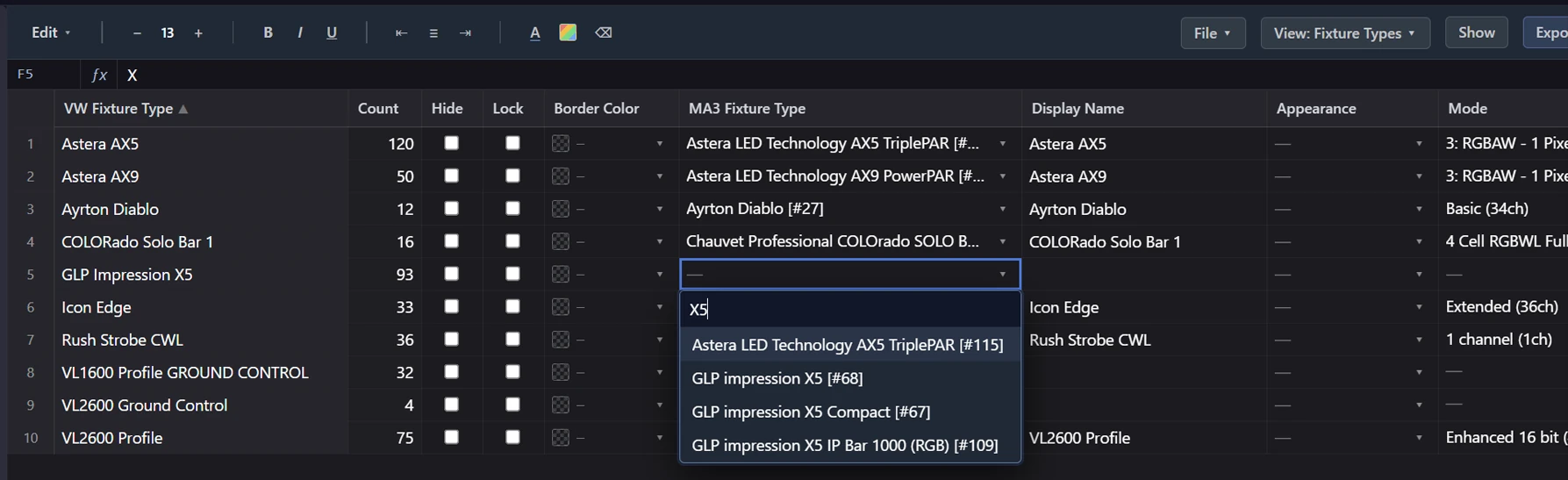
Where VLA fits
VLA's Fixture Tools put the static half of this triage in front of you. The app reads your show's fixture types and lays out what the XML actually says — each mode resolved into a true per-channel map (including the pixel cells MA hides inside geometry references), the geometry structure, attributes, defaults, and footprints — so a wrong channel identity, a suspicious nesting, or a footprint that doesn't match the manual is something you can see instead of something you excavate from raw XML. You can attach the manufacturer's DMX chart to a fixture and read them side by side. The behavioral half — your eyes on the rig — stays yours; VLA just makes sure you point them at the right layer first.