Importing a Cue List Into grandMA3 From a Spreadsheet
By the time you sit down at the console, the cue list exists. It's in a Google Sheet somebody built in a production meeting, or a rundown PDF, or the stage manager's calling script. The question isn't what the cues are — it's how they get from that document into grandMA3 sequences without you re-keying every one of them at the desk.
The problem with the obvious answer
The obvious answer is: read down the sheet and type. Store a cue, label it, set the fade, next row. For years that's how it was done, and for a twelve-cue corporate keynote it's still fine. It stops being fine when the list is a hundred and forty cues across eight segments, because now you have three compounding costs:
- Transcription time. Storing, labeling, and timing cues one by one is an hour or more of desk time spent doing data entry — on the one machine everybody else also needs.
- Transcription errors. A skipped row or a label typed against the wrong cue number doesn't announce itself. It surfaces days later when someone calls "go" on a cue that isn't what the paperwork says it is.
- The sheet keeps changing. The document you transcribed was version 4. Version 5 lands the next morning with two cues inserted in segment three, and your console copy is now quietly wrong. Retyping is bad; diffing a spreadsheet against a console by eye is worse.
Typing it anyway: how to make manual entry survivable
Sometimes typing is what's available, so make it cheap:
- Normalize the spreadsheet first. One row per cue. Separate columns for cue number, label, fade, and trigger — not a prose blob per row. Ten minutes cleaning the sheet before you start saves an hour of squinting at the desk.
- Make the cue numbers final before you begin. MA3 cue numbers take decimals — cue 1.5 is a real cue — so agree the insert convention (point-fives for late additions, whole numbers for the planned list) with whoever owns the paperwork. Renumbering after the console copy exists is where lists drift apart.
- Enter in one pass per column-type, not one pass per cue. Store the whole spine of empty cues first, then sweep through labels, then times. Batch work is faster and each sweep is self-checking — a missing row is obvious when the labels no longer line up.
- Read it back. Have someone read the sheet while you scroll the sequence. Boring, and it catches exactly the errors that otherwise surface in a rehearsal.
The other manual route: building console files
grandMA3 can import sequence XML, and technically nothing stops you exporting a sequence, studying the structure, and generating your own from the spreadsheet. If you have the scripting appetite, it removes the per-cue typing. But be honest about what you're signing up for: hand-building console XML is its own project, it's on you when the file doesn't import, and you'll be maintaining that script against console versions long after the show closes. Most programmers try this once, get it working for one show's shape of data, and quietly retire it.
Whatever the route: treat the document as the source of truth
The workflow decision that matters more than the transfer mechanism is this: pick one place where the cue list lives, and make everything else a copy of it. If the SM's sheet is the source of truth, then the console sequence is a build artifact — when the sheet changes, you rebuild or re-verify, and you never "fix" a cue at the desk without pushing the fix back to the sheet. Shows get hurt when the paperwork and the console each hold half the truth and nobody knows which half.
That's also the argument against doing the transfer by hand more than once: a manual transcription can't be cheaply repeated, so the second revision of the sheet is where the discipline collapses.
Where VLA fits
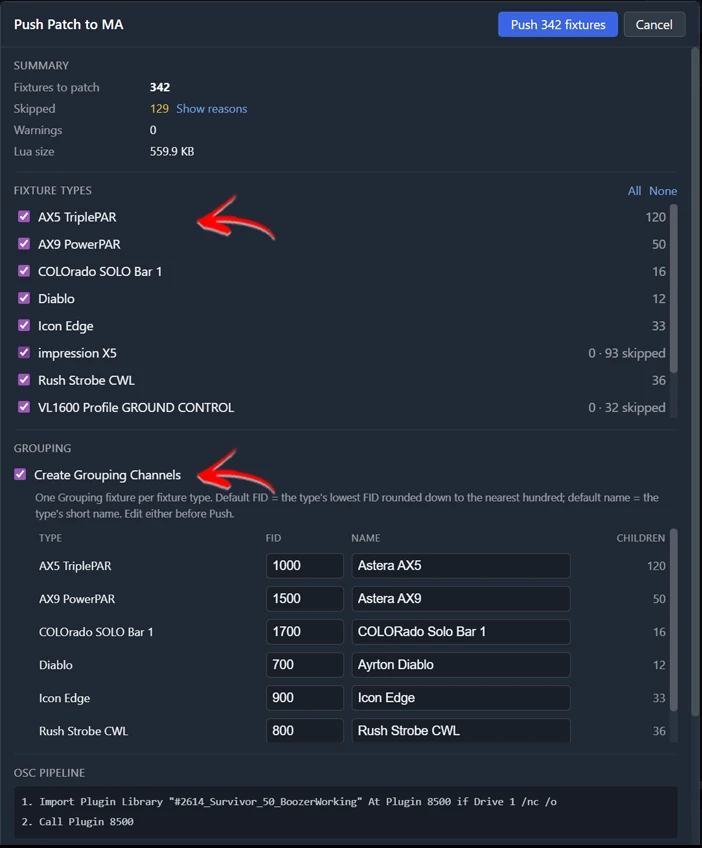
VLA's Cue Sheets exist because this list already lived in someone's spreadsheet on every show. Ingest the basics straight from a Google Sheet, or seed a cue sheet from a rundown PDF; edit in a grid that understands lighting columns — cue number, label, fade, trigger — instead of a generic spreadsheet; then push sequences to grandMA3 rather than typing cues at the console. Multi-sequence sheets work too: a show-flow sequence plus per-performance sequences from one document, in one import. Everything sent is native MA3 data — real MA3 XML and real MA3 syntax — and the push dialog previews exactly what will hit the console before anything is sent. Because the sheet in VLA stays live and re-pushable, the source-of-truth discipline above stops being discipline and becomes the default: the sheet changes, you push again. Export to CSV or XML when someone else needs the paperwork back.